
Your brand · Your selection · Your control
From scattered links to a professional presentation for your client
Bring together the properties you want to recommend, review the information and share a single selection with your own professional identity.
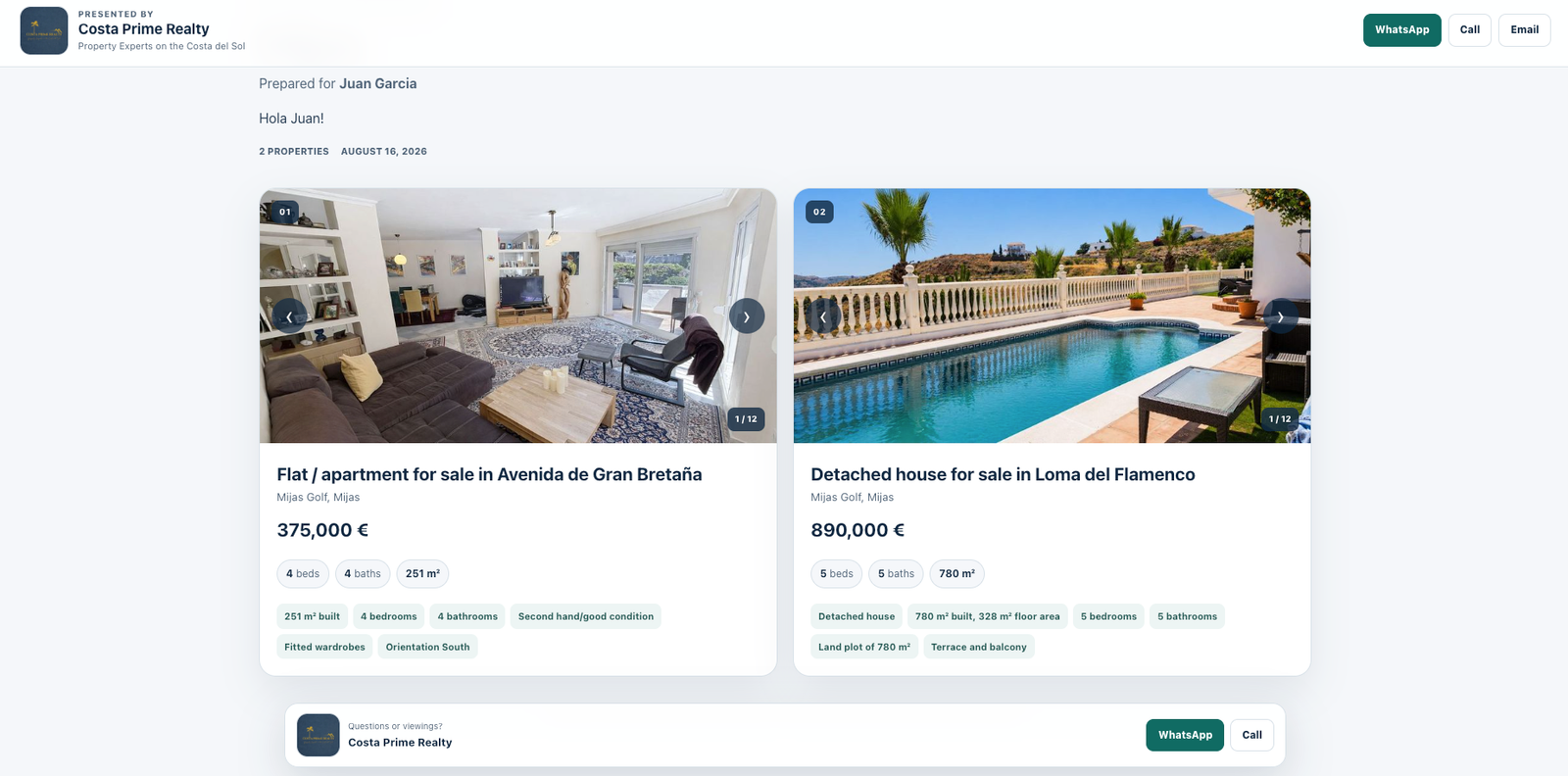
Your brand
The presentation keeps the professional front and centre, with their details and contact options visible to the client.
Your control
Review titles, prices, features, notes and order before sending the selection.
One link
Instead of sending multiple URLs via WhatsApp, share a single organised, easy-to-review presentation.
How it works
Three steps. Without complicating your sales process.
The tool is included fretuily for registered users of RealtorList.
Create your fretui account
Register with RealtorList and access your professional dashboard.
Add properties
Paste the links to the properties you want to present to the client and review the imported information.
Customise and share
Choose the layout, arrange the properties and share a single link via WhatsApp, email or your preferred channel.
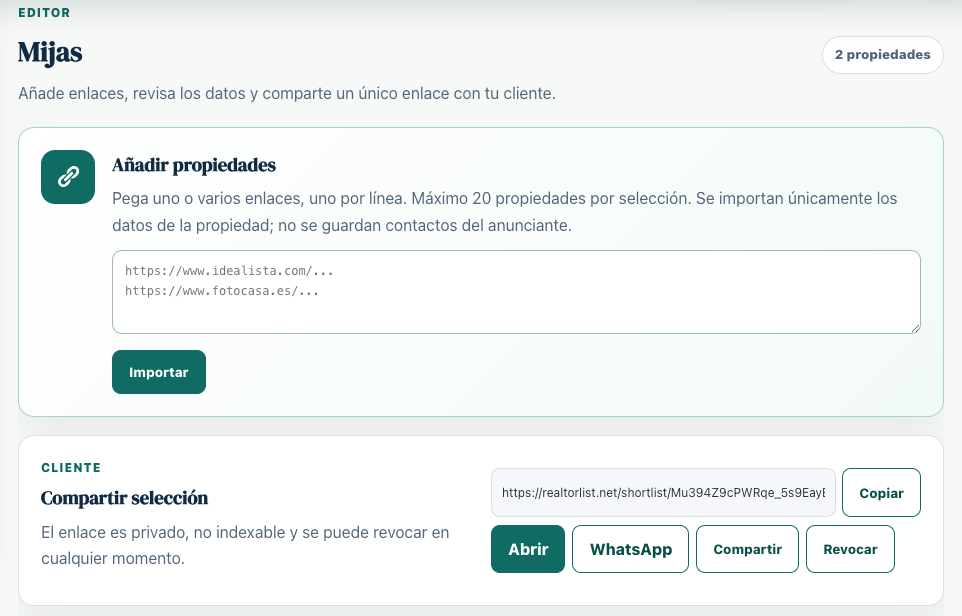
01 · Add properties
Less copying and pasting. More time for advising.
Create a selection for each buyer and bring together the options you genuinely want them to consider.
- Add multiple links to the same selection.
- Keep all options organised by client.
- Generate a private link to share the presentation.
- Edit or revoke access whenever you need to.
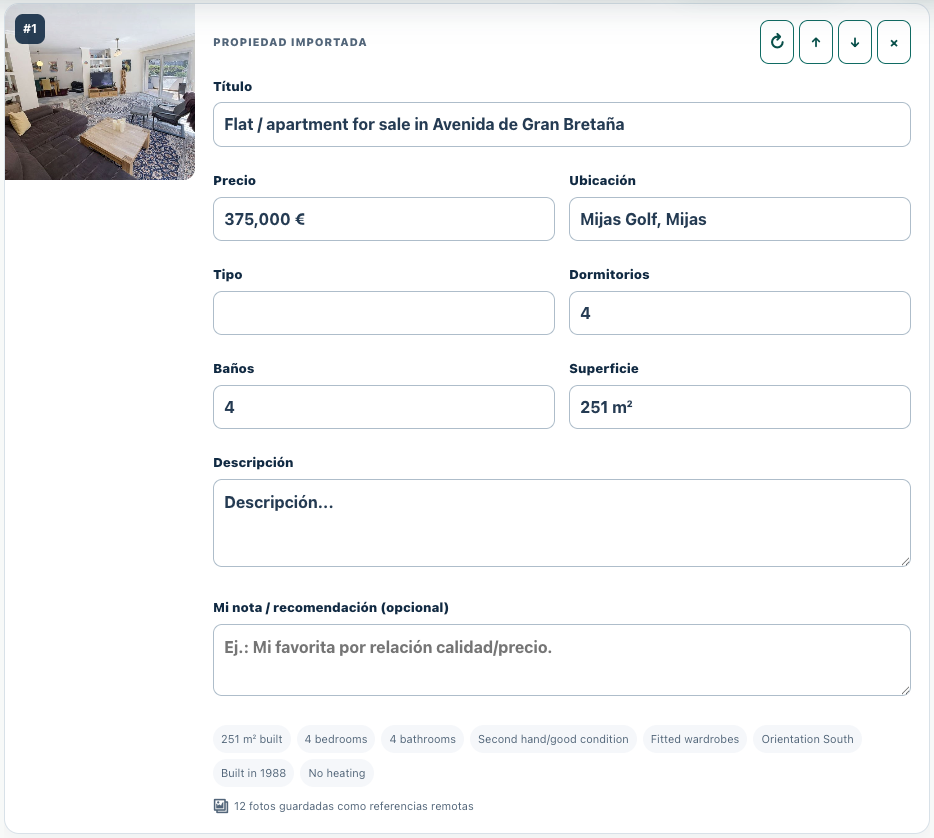
02 · Review before sending
Technology prepares it. You decide what the client sees.
A property recommendation requires judgement. That is why you can review and adjust each property before sharing it.
- Edit the title, price, location and features.
- Reorder properties according to your recommendation.
- Add your own note or professional assessment.
- Update a property whenever you need to refresh its details.
Your brand. Your control.
Don't just send properties. Present your selection.
The buyer receives an experience organised around your professional recommendation, not a disorganised collection of links.
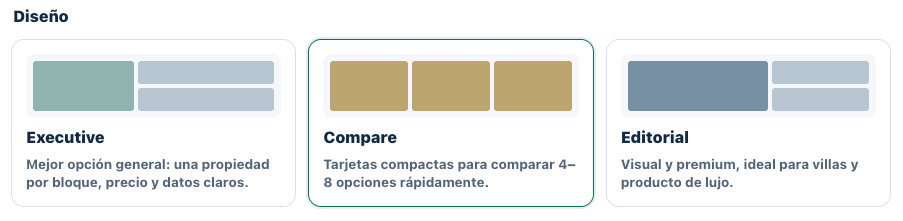
03 · Choose the presentation
The same selection. Three ways to present it.
Choose the format based on the number of properties, the type of buyer and how you want to guide the comparison.
Free for registered users
Your next selection could be ready in just a few minutes.
Create a fretui account on RealtorList, go to Tools and prepare a professional presentation for your next buyer.
Frequently asked questions
Property selections for real estate agents
Is the property selection tool fretui?
Yes. The tool is available fretuily for users registered with RealtorList.
Do I need to create an account?
Yes. You need to register and log in to create, save, edit and manage your selections.
How do I share a selection with a client?
You can generate a private link and share it directly via WhatsApp, email or other channels.
Can I edit the properties before sharing them?
Yes. You can review the details of each property, modify the presentation, change the order and add your own recommendation.